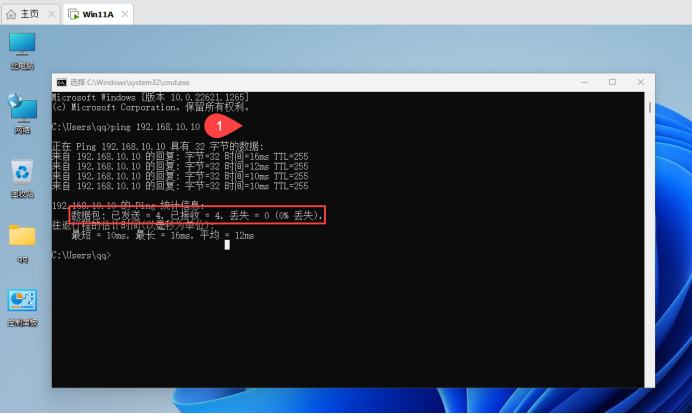
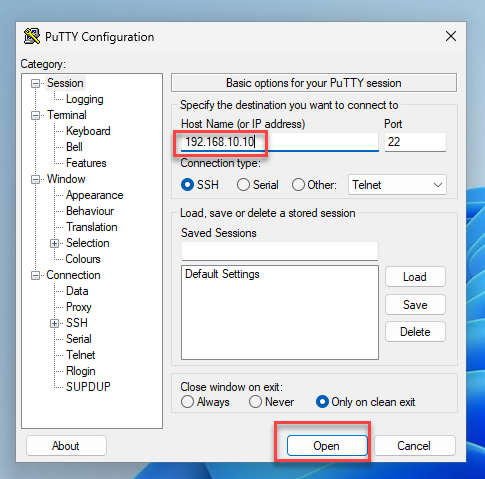
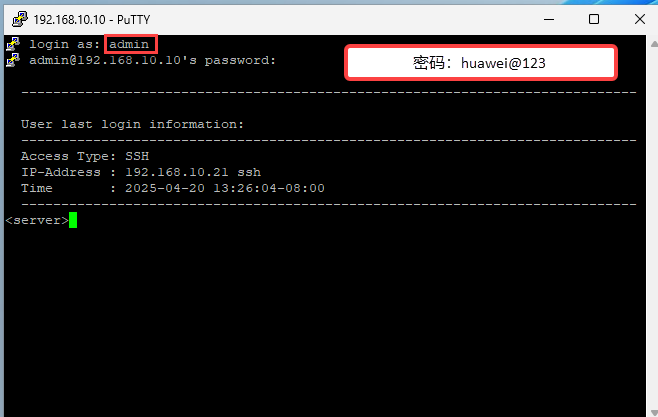
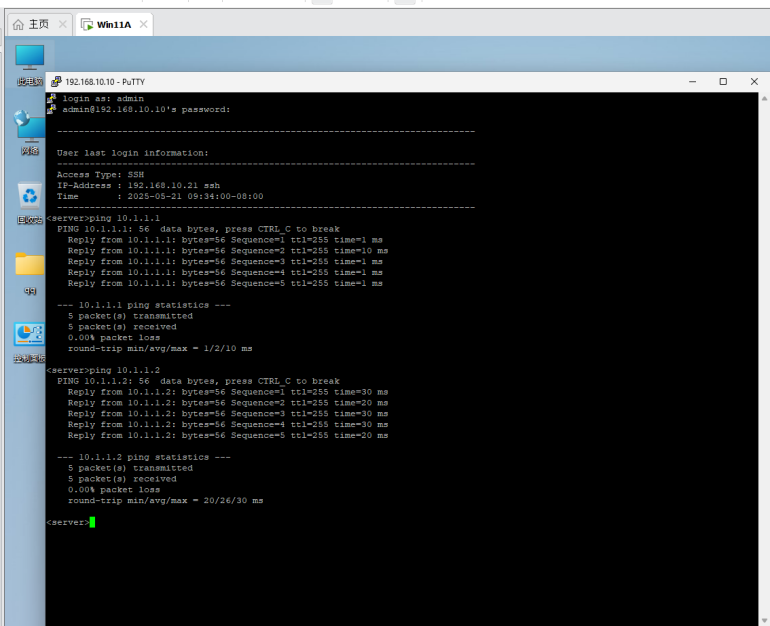
<Huawei>
<Huawei>system-view 进入视图模式
Enter system view, return user view with Ctrl+Z.
[Huawei]undo info-center enable		关闭消息控制台
Info: Information center is disabled.
[Huawei]sysname server				重命名为server
[server]interface g0/0/0				进入g0/0/0接口
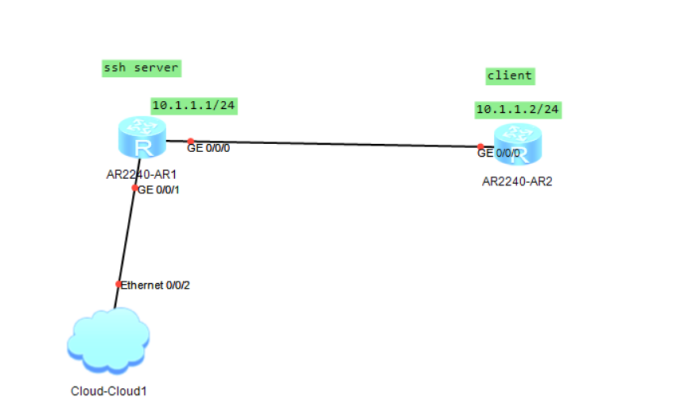
[server-GigabitEthernet0/0/0]ip address 10.1.1.1 24		IP地址10.1.1.1 子网掩码24
[server-GigabitEthernet0/0/0]undo shutdown			关闭消息控制台
Info: Interface GigabitEthernet0/0/0 is not shutdown.
[server-GigabitEthernet0/0/0]quit						退出
[server]
[server]interface g0/0/1				进入g0/0/1接口
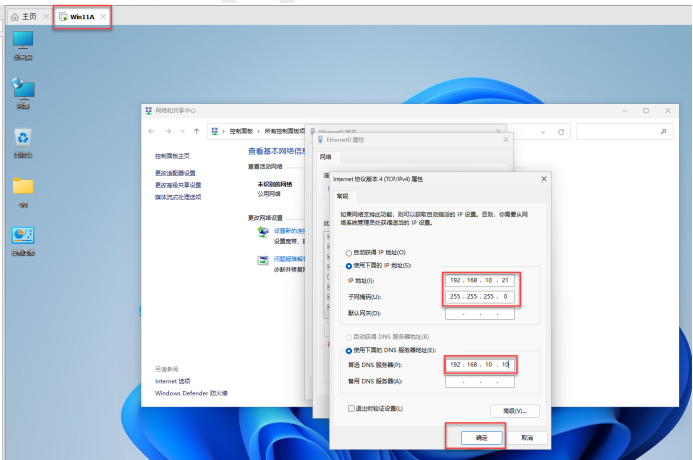
[server-GigabitEthernet0/0/1]ip address 192.168.10.10 24 IP地址192.168.10.10 子网掩码24
[server-GigabitEthernet0/0/1]undo shutdown 关闭消息控制台
Info: Interface GigabitEthernet0/0/1 is not shutdown.
[server-GigabitEthernet0/0/1]quit 					退出
[server]
四、配置R2(客户端)路由器的接口IP
The device is running!

<Huawei>system-view				进入视图模式
Enter system view, return user view with Ctrl+Z.
[Huawei]undo info-center enable		关闭消息控制台
Info: Information center is disabled.
[Huawei]sysname client			重命名为client
[client]interface g0/0/0				进入g0/0/0接口
[client-GigabitEthernet0/0/0]ip address 10.1.1.2 24		IP地址10.1.1.2 子网掩码24
[client-GigabitEthernet0/0/0]undo shutdown			关闭消息控制台
Info: Interface GigabitEthernet0/0/0 is not shutdown.
五、用rsa加密算法生成本地的密钥对
[Server]rsa local-key-pair create 	用rsa加密算法生成本地的密钥对
The key name will be: Host
% RSA keys defined for Host already exist.
Confirm to replace them? (y/n)[n]:y
The range of public key size is (512 ~ 2048).
NOTES: If the key modulus is greater than 512,
       It will take a few minutes.
Input the bits in the modulus[default = 512]:
Generating keys...
.......++++++++++++
............++++++++++++
.++++++++
.........................++++++++
<Client>system-view							进入视图模式
Enter system view, return user view with Ctrl+Z.
[Client]ssh client first-time enable					开启ssh的客户端
[Client]stelnet 10.1.1.1							ssh远程访问10.1.1.1
Please input the username:admin					登陆的用户名:admin
Trying 10.1.1.1 ...
Press CTRL+K to abort
Connected to 10.1.1.1 ...
The server is not authenticated. Continue to access it? (y/n)[n]:y
Save the server's public key? (y/n)[n]:y
The server's public key will be saved with the name 10.1.1.1. Please wait...

Enter password:
<Server>