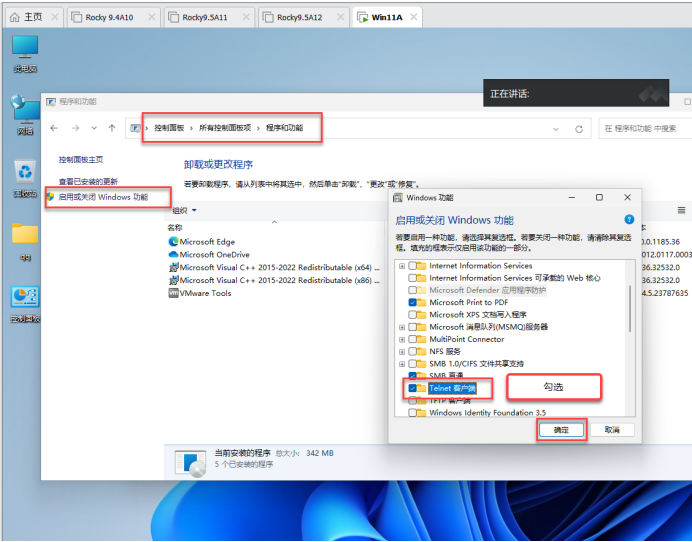
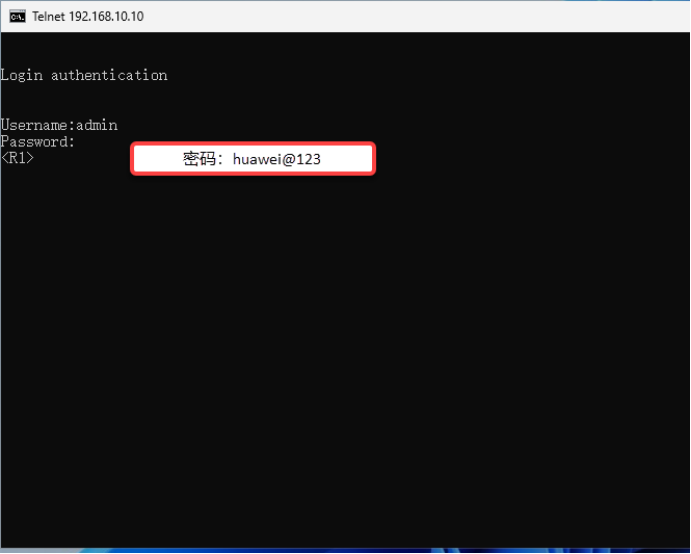
<Huawei>system-view 进入视图模式
Enter system view, return user view with Ctrl+Z.
[Huawei]undo info-center enable		关闭消息通知台
Info: Information center is disabled.
[Huawei]
[Huawei]sysname R1		更改名称为R1
[R1]user-interface console 0		进入console口 终端接口
[R1-ui-console0]set authentication password cipher huawei@123 设置认证加密密码,华为@123
[R1-ui-console0]return		退出
<R1>save
  The current configuration will be written to the device.
  Are you sure to continue? (y/n)[n]:y		保存
  It will take several minutes to save configuration file, please wait.......
  Configuration file had been saved successfully
  Note: The configuration file will take effect after being activated
<R1>quit		退出

  Configuration console exit, please press any key to log on


Login authentication


Password: huawei@123
<r1>
五、interface g0/0/0,设置本地用户及登录密码
Login authentication
Password:huawei@123
<R1>system-view
Enter system view, return user view with Ctrl+Z.
[R1]interface g0/0/0
[R1-GigabitEthernet0/0/0]quit
[R1]aaa 进入aaa模式(第一个a认证,第二个a授权,第三个a计费)认证authentication,授权authorization,计费accounting
[R1-aaa]local-user admin password cipher huawei@123 设置本地用户为admin,加密密码为huawei@123
[R1-aaa]local-user admin privilege level 3  (本地用户admin的安全级别为3)
级别3是管理级,拥有最高权限,支持所有命令
级别0是访问级,仅支持基础查看命令,适用于普通用户审计,仅允许查看设备
级别1是监控级,在级别0基础上增加了重启设备和重置端口,适用于运维监控人员
级别2是系统级,支持业务配置命令,如接口IP修改,路由协议配置等
[R1-aaa]local-user admin service-type telnet  设置本地用户admin的服务类型为远程访问
[R1-aaa]quit
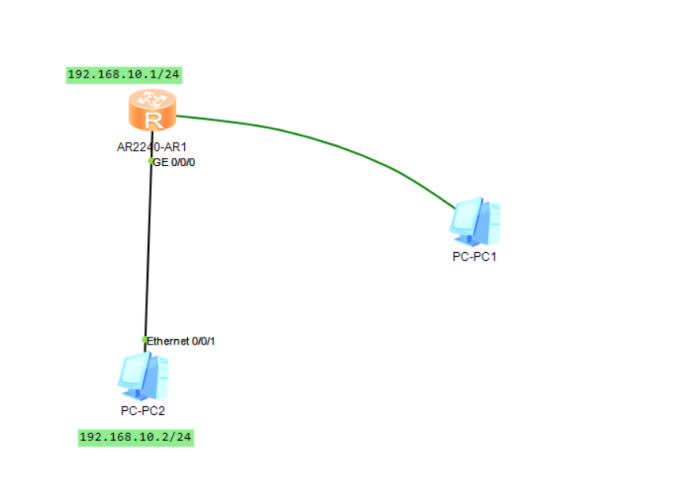
[R1]interface g0/0/0 进入g0/0/0接口
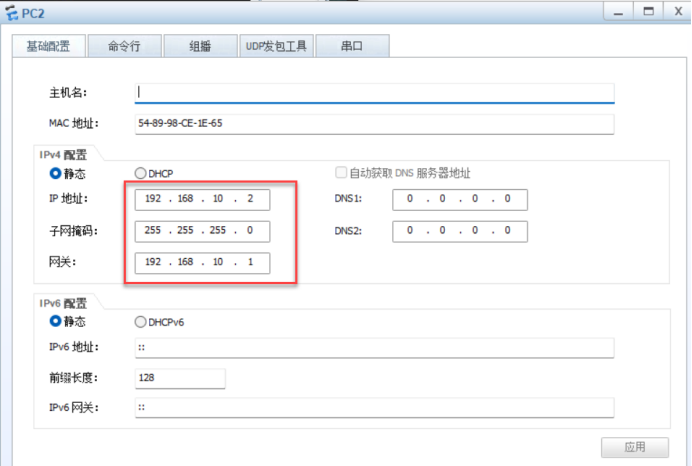
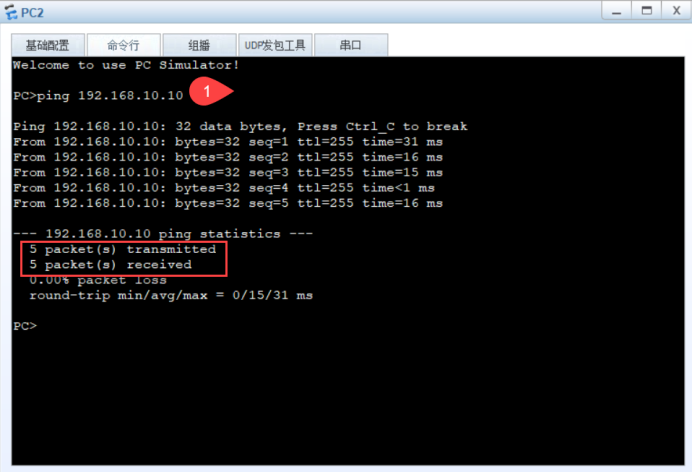
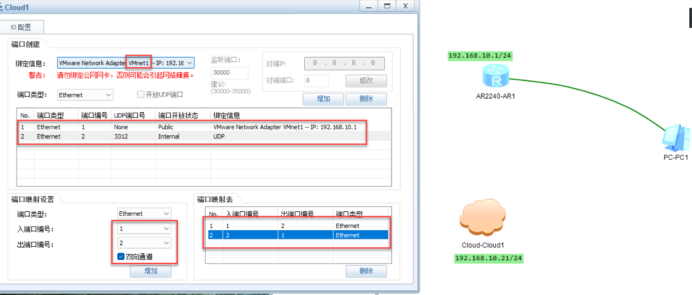
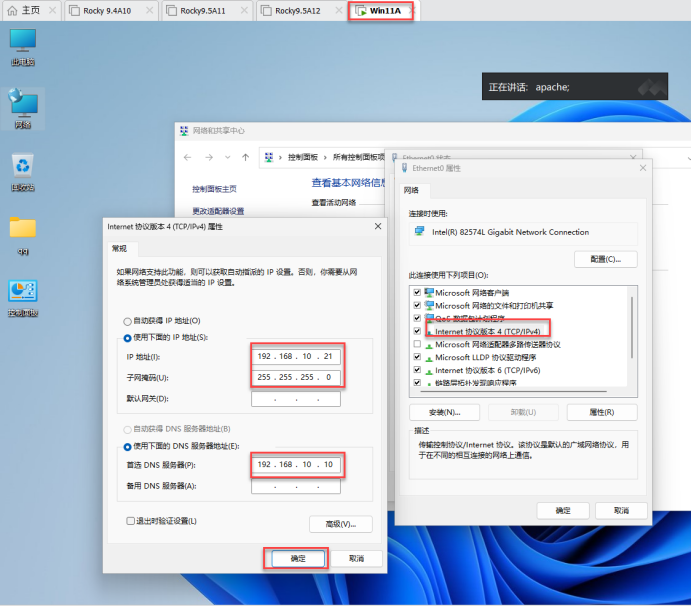
[R1-GigabitEthernet0/0/0]ip address 192.168.10.10 24   设置IP地址192.168.10.10 子网掩码24(255.255.255.0)
Apr 15 2025 08:51:46-08:00 R1 %%01IFNET/4/LINK_STATE(l)[0]:The line protocol IP
on the interface GigabitEthernet0/0/0 has entered the UP state.
[R1-GigabitEthernet0/0/0]undo shutdown  激活端口
Info: Interface GigabitEthernet0/0/0 is not shutdown.
[R1-GigabitEthernet0/0/0]quit		退出
八、查看IP接口的详细信息
[R1]display ip interface brief						查看IP接口的详细信息
*down: administratively down
^down: standby
(l): loopback
(s): spoofing
The number of interface that is UP in Physical is 2
The number of interface that is DOWN in Physical is 2
The number of interface that is UP in Protocol is 2
The number of interface that is DOWN in Protocol is 2

Interface                         IP Address/Mask      Physical物理接口   Protocol  协议
GigabitEthernet0/0/0              192.168.10.10/24     up  活动的       up   活动的