一、实验拓扑图:
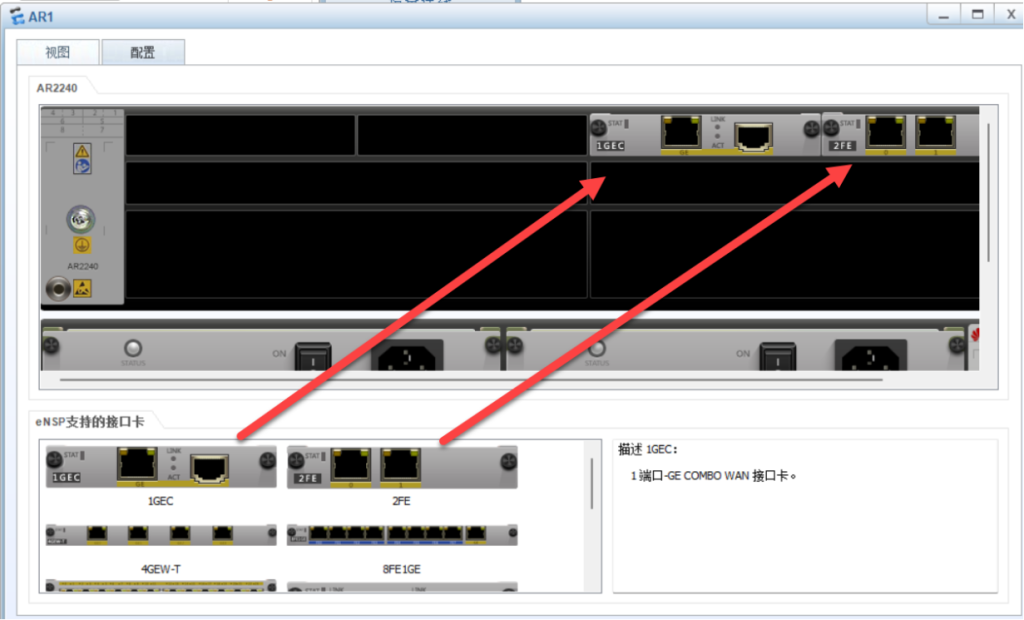
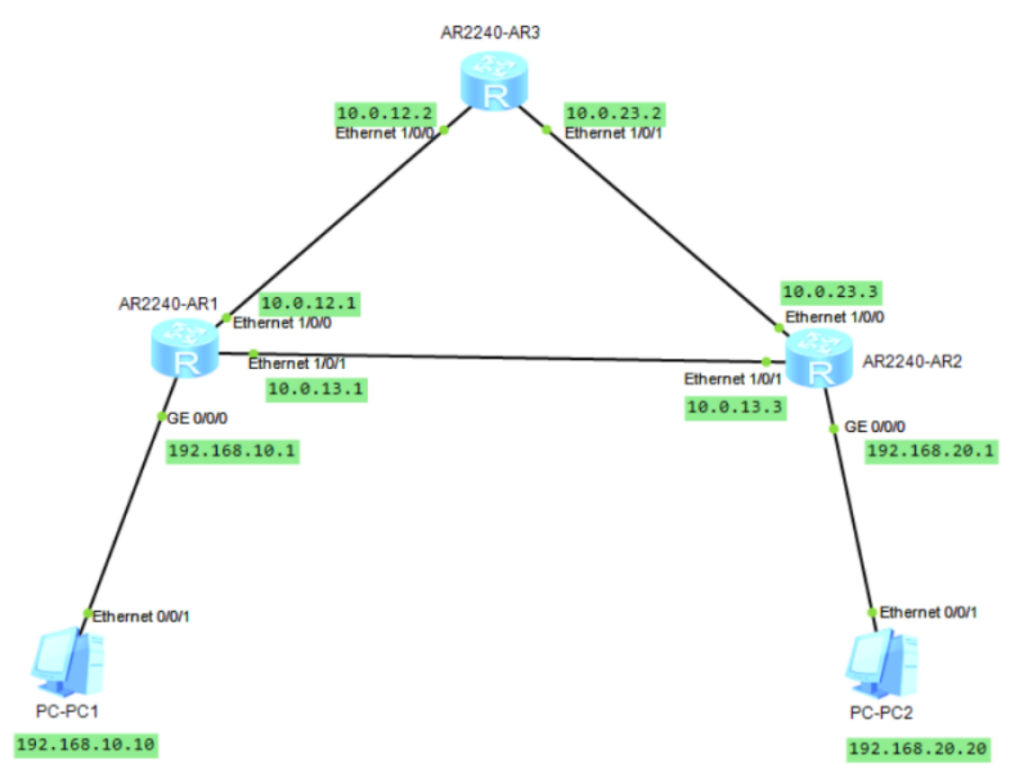
二、配置第一个路由器R1:
<Huawei>system-view 进入视图模式
Enter system view, return user view with Ctrl+Z.
[Huawei]undo info-center enable 关闭消息控制台
Info: Information center is disabled.
[Huawei]sysname r1 设置名称为r1
[r1]interface g0/0/0 进入g0/0/0接口
[r1-GigabitEthernet0/0/0]ip address 192.168.10.1 24 IP地址192.168.10.1 子网掩码24
[r1-GigabitEthernet0/0/0]undo shutdown 关闭消息控制台
Info: Interface GigabitEthernet0/0/0 is not shutdown.
[r1-GigabitEthernet0/0/0]quit 退出
[r1]interface e1/0/0 进入e1/0/0
[r1-Ethernet1/0/0]ip address 10.0.12.1 24 IP地址10.0.12.1 子网掩码24
[r1-Ethernet1/0/0]undo shutdown 关闭消息控制台
Info: Interface Ethernet1/0/0 is not shutdown.
[r1-Ethernet1/0/0]quit 退出
[r1]
[r1]interface e1/0/1 进入e1/0/1
[r1-Ethernet1/0/1]ip address 10.0.13.1 24
[r1-Ethernet1/0/1]undo shutdown 关闭消息控制台
Info: Interface Ethernet1/0/1 is not shutdown.
[r1-Ethernet1/0/1]quit 退出
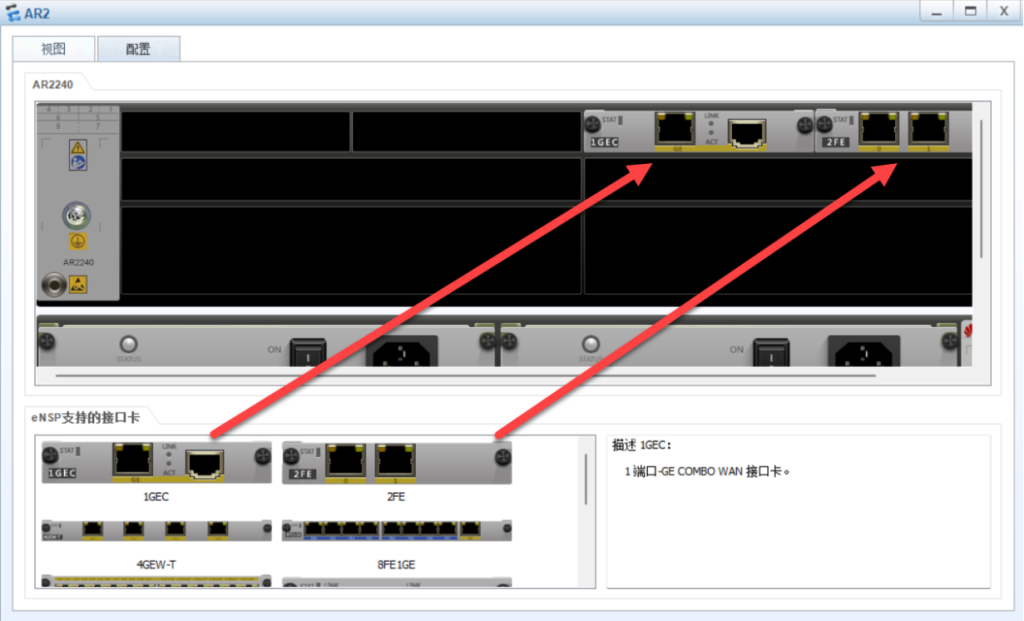
二、配置路由器R2:
<Huawei>system-view 进入视图模式
Enter system view, return user view with Ctrl+Z.
[Huawei]undo info-center enable 关闭消息控制台
Info: Information center is disabled.
[Huawei]sysname r3 命名为r3
[r2]interface e1/0/0 进入e1/0/0
[r2-Ethernet1/0/0]ip address 10.0.12.2 24 IP地址10.0.12.2 24 子网掩码24
[r2-Ethernet1/0/0]undo shutdown 关闭消息控制台
Info: Interface Ethernet1/0/0 is not shutdown.
[r2-Ethernet1/0/0]quit 退出
[r2]
[r2]interface e1/0/1 进入e1/0/1
[r2-Ethernet1/0/1]ip address 10.0.23.2 24
[r2-Ethernet1/0/1]undo shutdown 关闭消息控制台
Info: Interface Ethernet1/0/1 is not shutdown.
[r2-Ethernet1/0/1]quit 退出
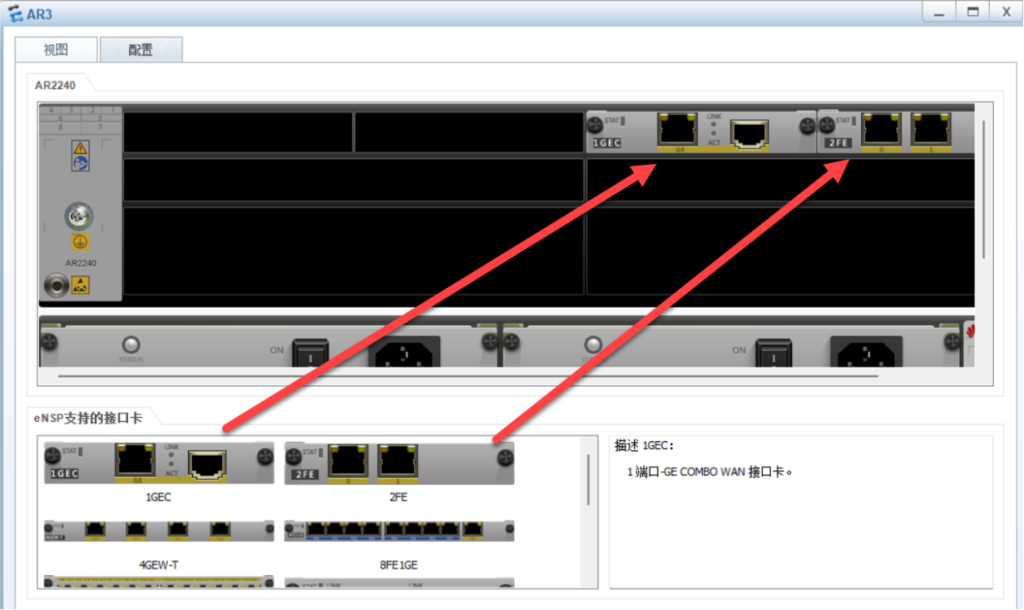
三、配置路由器R3:
<Huawei>system-view 进入视图模式
Enter system view, return user view with Ctrl+Z.
[Huawei]undo info-center enable 关闭消息控制台
Info: Information center is disabled.
[Huawei]sysname r2 命名为r2
[r3]interface g0/0/0 进入g0/0/0接口
[r3-GigabitEthernet0/0/0]ip address 192.168.20.1 24 IP地址为192.168.20.1 子网掩码24
[r3-GigabitEthernet0/0/0]undo shutdown 关闭消息控制台
Info: Interface GigabitEthernet0/0/0 is not shutdown.
[r3-GigabitEthernet0/0/0]quit 退出
[r3]interface e1/0/0 进入e1/0/0
[r3-Ethernet1/0/0]ip address 10.0.23.3 24 IP地址为10.0.23.3 子网掩码24
[r3-Ethernet1/0/0]undo shutdown 关闭消息控制台
Info: Interface Ethernet1/0/0 is not shutdown.
[r3-Ethernet1/0/0]quit 退出
[r3]
[r3]interface e1/0/1 进入e1/0/1
[r3-Ethernet1/0/1]ip address 10.0.13.3 24 IP地址为10.0.13.3 子网掩码24
[r3-Ethernet1/0/1]undo shutdown 关闭消息控制台
Info: Interface Ethernet1/0/1 is not shutdown.
[r3-Ethernet1/0/1]quit 退出
四、配置r1\r2\r3静态路由
[r1]ip route-static 192.168.20.0 24 10.0.13.3 设置静态路由,网段是10.0.20.0 子网掩码是24 下一跳地址是10.0.13.3
[r1]quit 退出
[r2]ip route-static 192.168.10.0 24 10.0.12.1 (设置静态路由,网段是192.168.10.0子网掩码是24 下一跳地址是10.0.12.1)
[r2]ip route-static 192.168.20.0 24 10.0.23.3 (设置静态路由,网段是192.168.20.0子网掩码是24 下一跳地址是10.0.23.3)[r3]ip route-static 192.168.10.0 24 10.0.13.1 (设置静态路由,网段是192.168.10.0子网掩码是24 下一跳地址是10.0.13.1)五、配置PC IP:
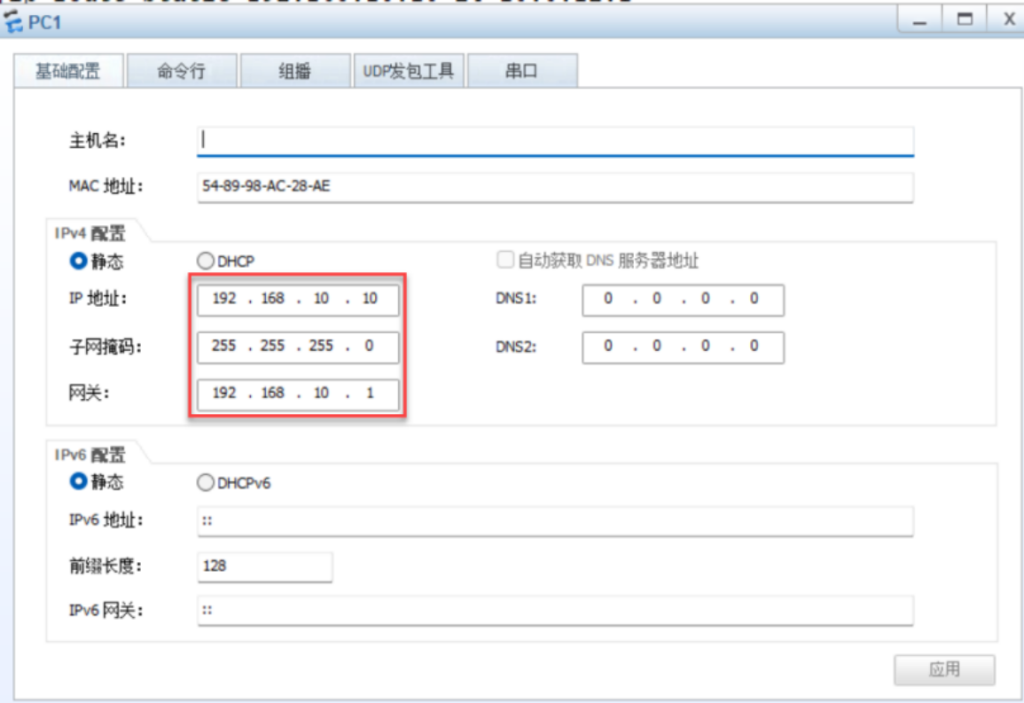
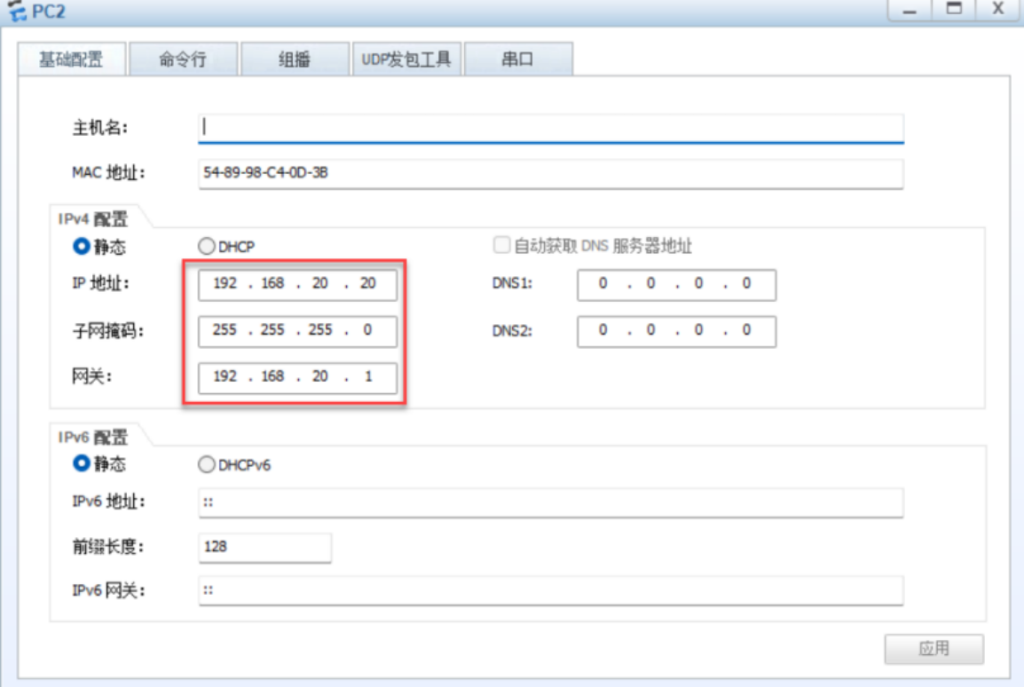
六、PC1 ping PC2:
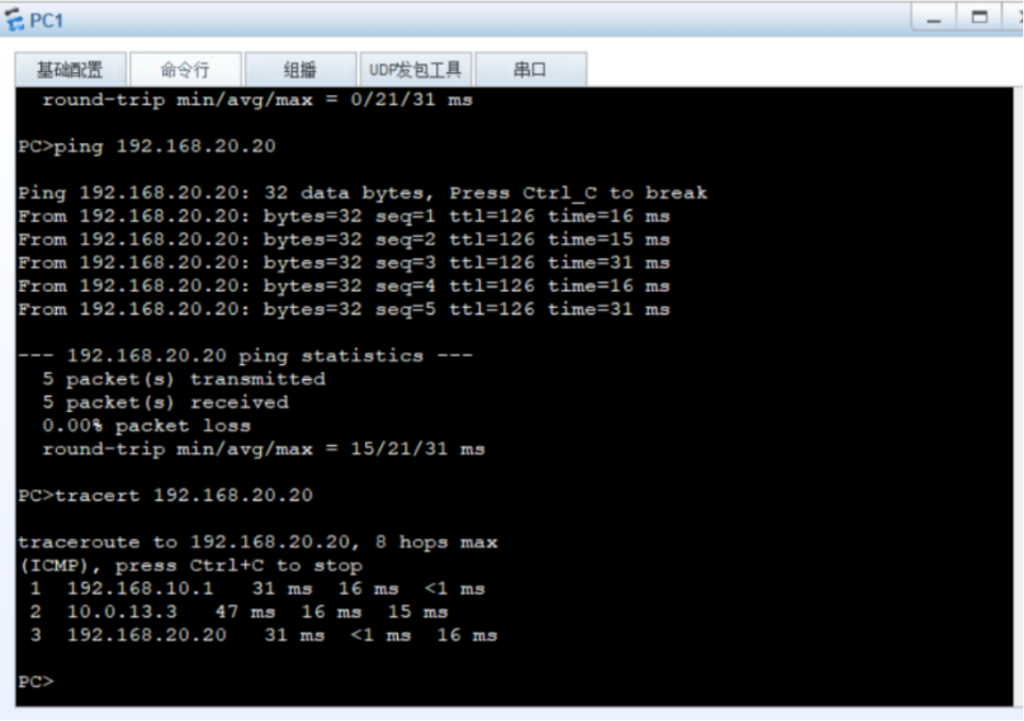
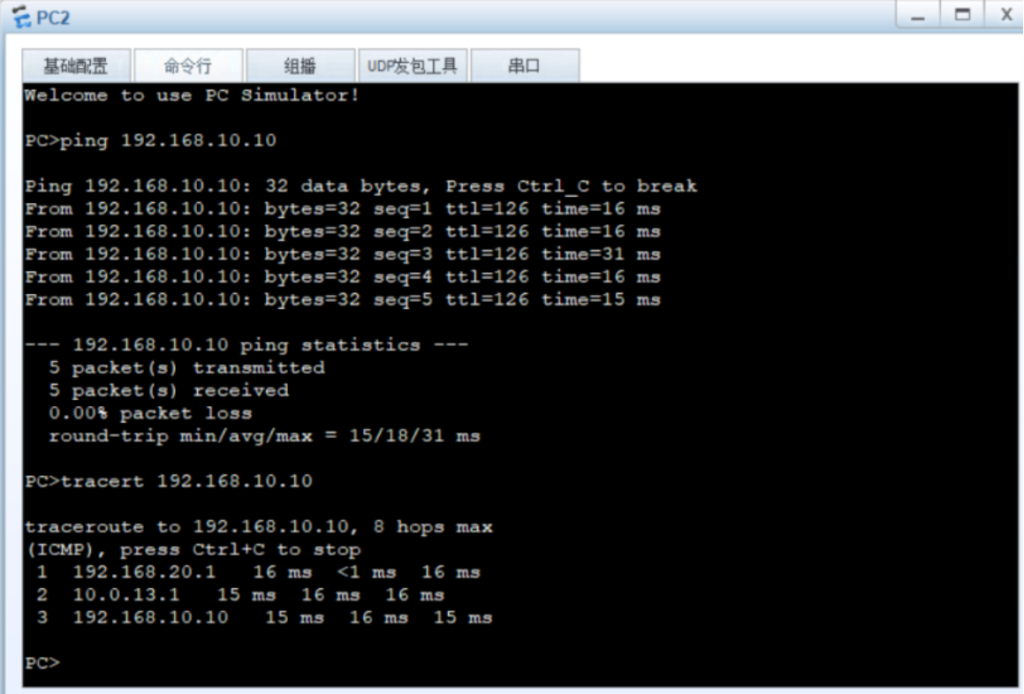
七、R2ping 10.10和20.20
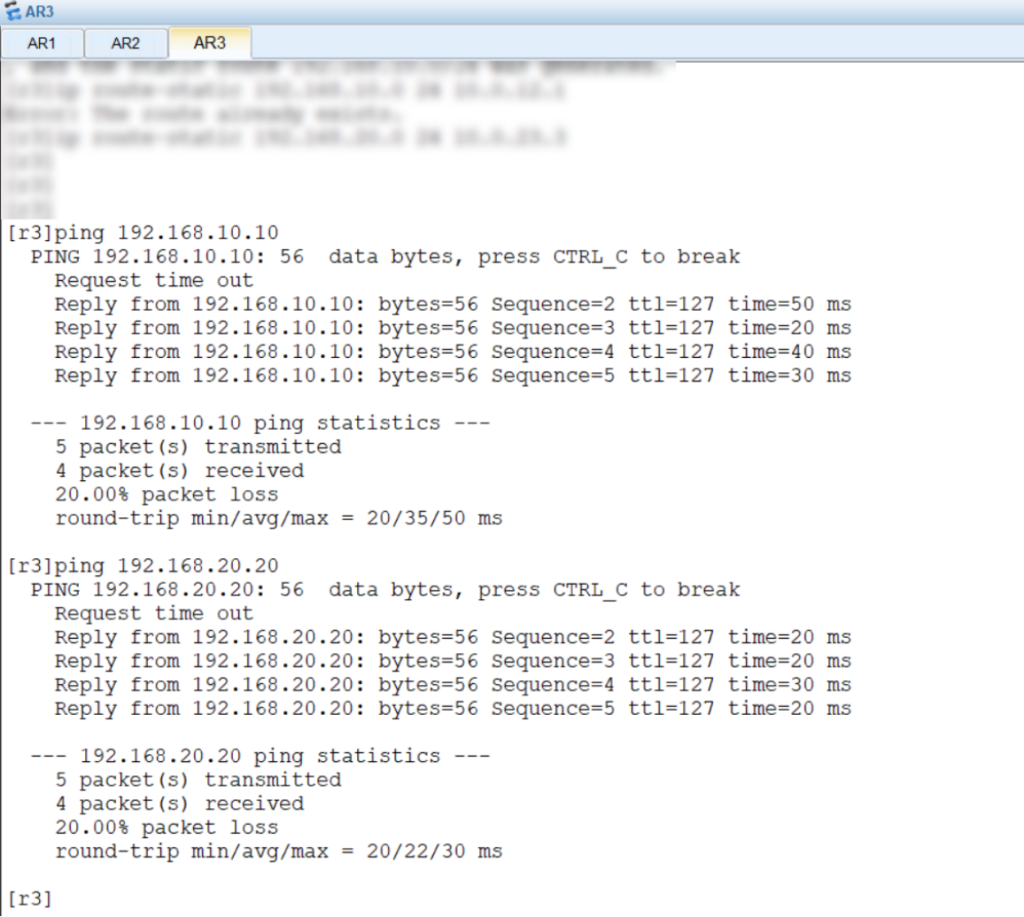
八、设置浮动静态路由:
[R1]ip route-static 192.168.20.0 24 10.0.12.2 preference 100(设置浮动静态路由网断是192.168.20.0子网掩码是24 下一跳地址是10.0.12.2)[R3]ip route-static 192.168.10.0 24 10.0.23.2 preference 100(设置浮动静态路由网段是192.168.10.0子网掩码是24 下一跳地址是10.0.23.2)九、R3下查看IP路由信息表:
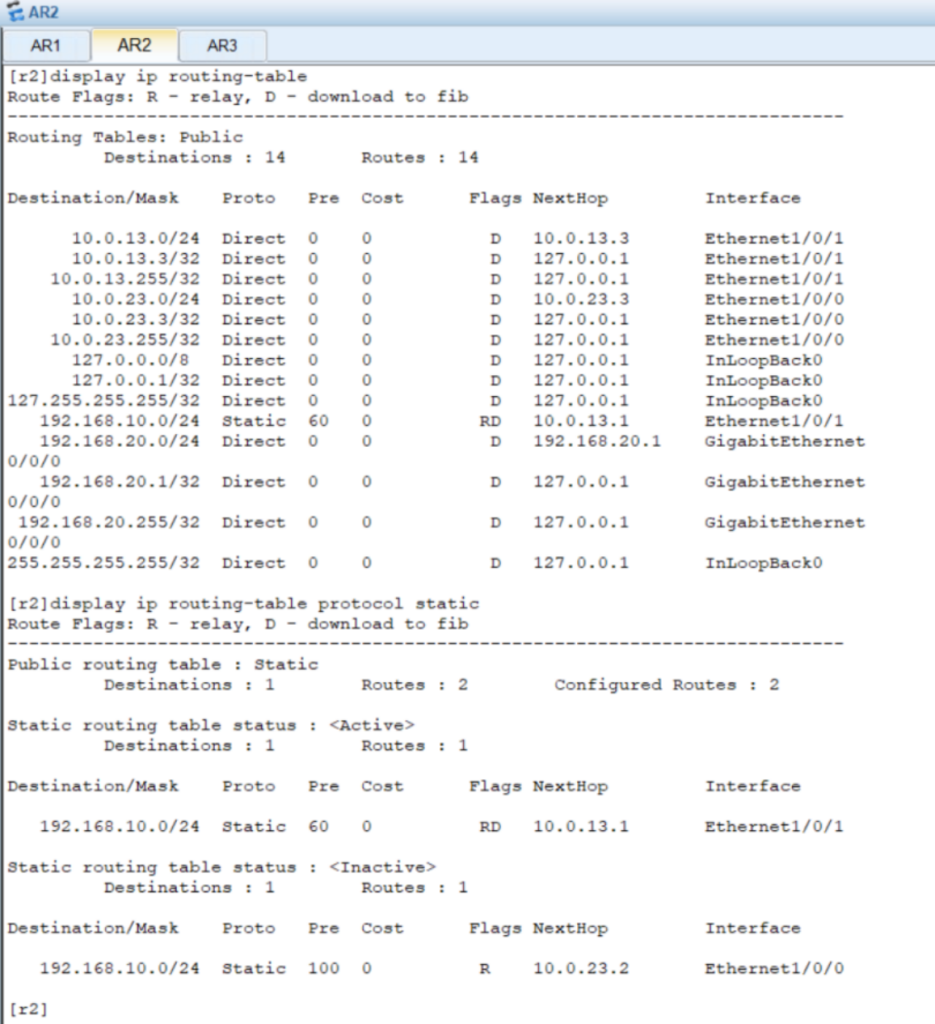
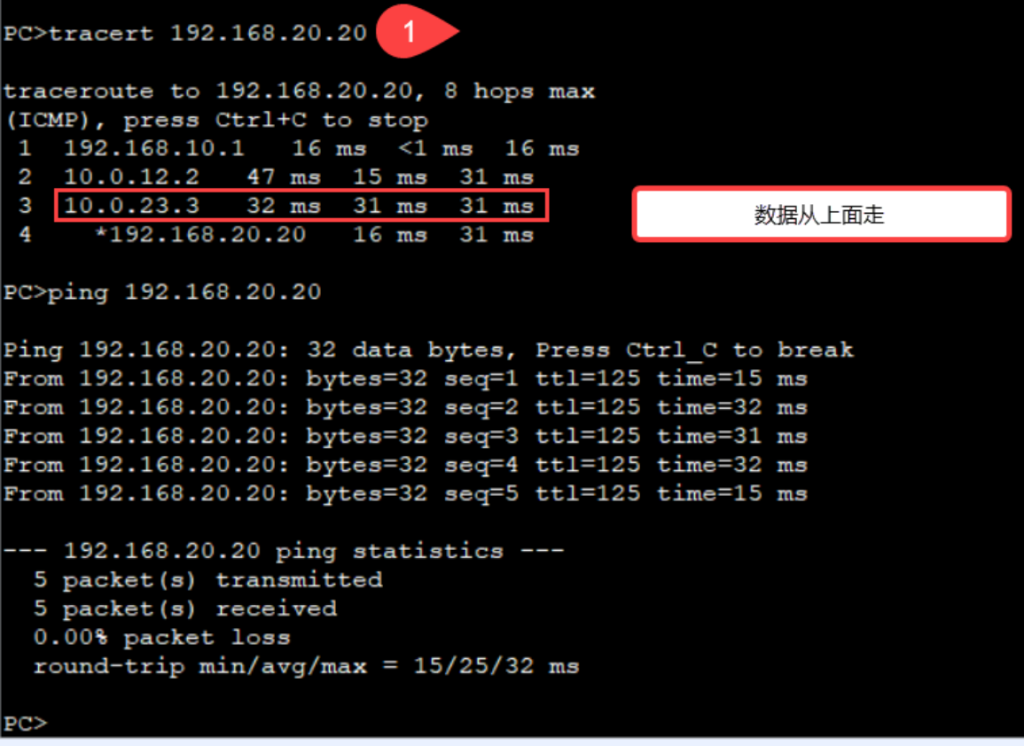
十、PC1 下tracert
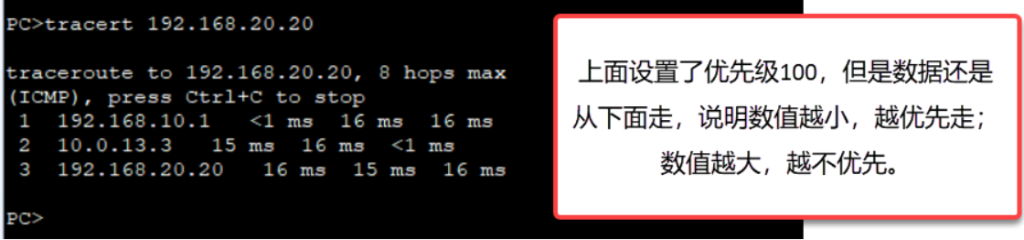
十一、模拟R1 的e1/0/1发生故障:

当下面的路径发生故障时,数据包从上面走。如下: