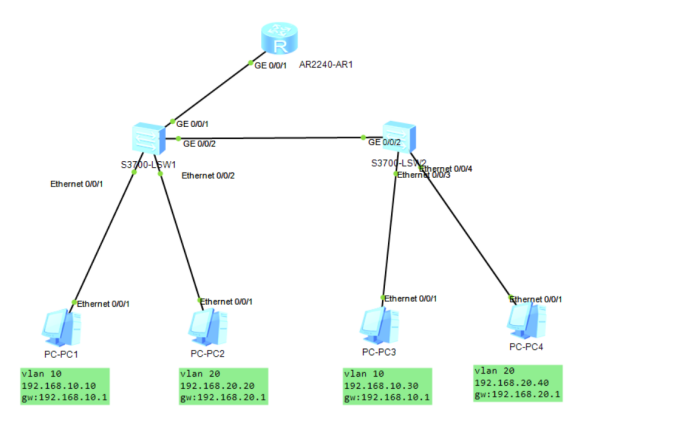
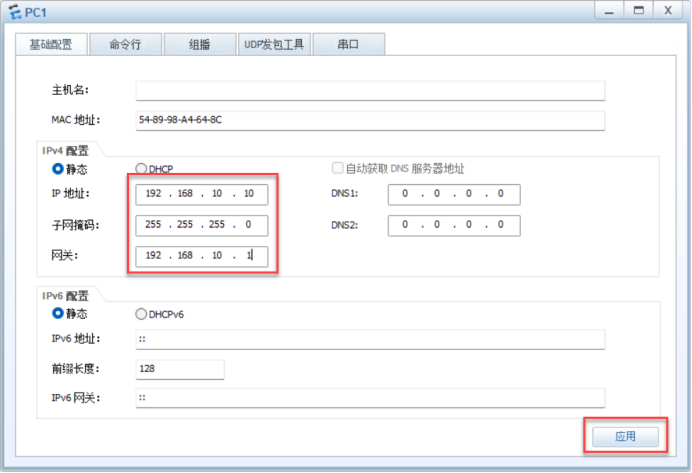
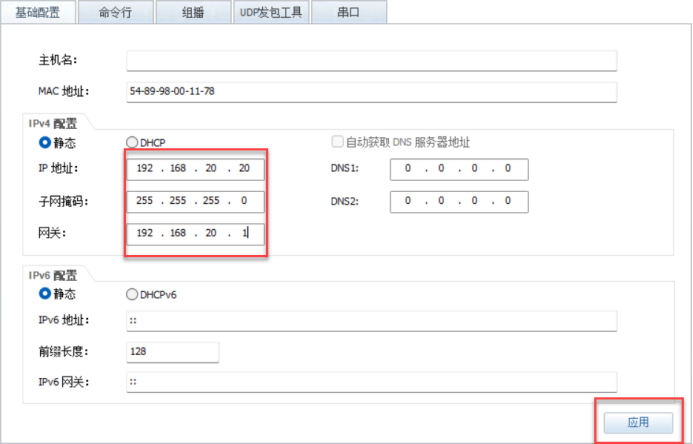
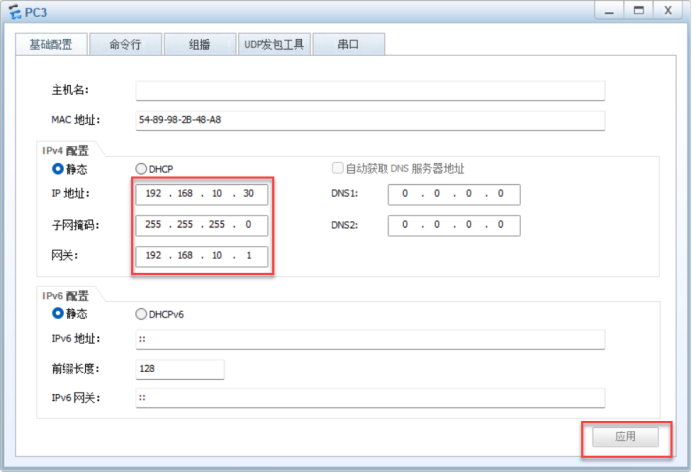
<Huawei>system-view
Enter system view, return user view with Ctrl+Z.
[Huawei]undo info-center enable
Info: Information center is disabled.
[Huawei]sysname R1
[R1]interface g0/0/1.10		进入g0/0/1.10的子接口
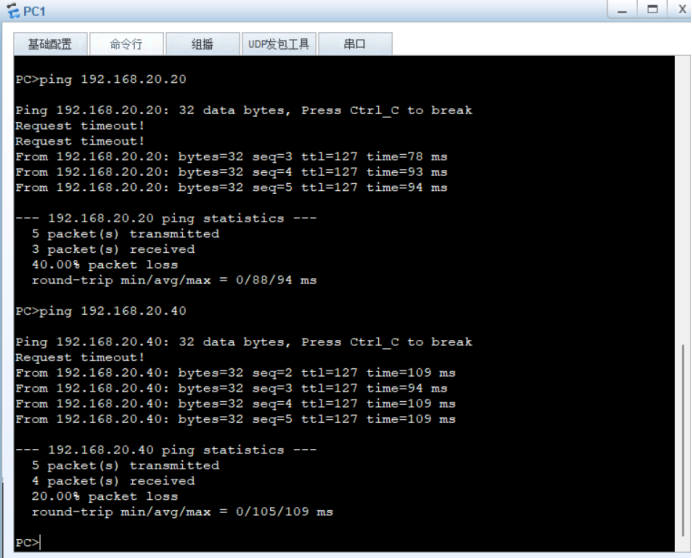
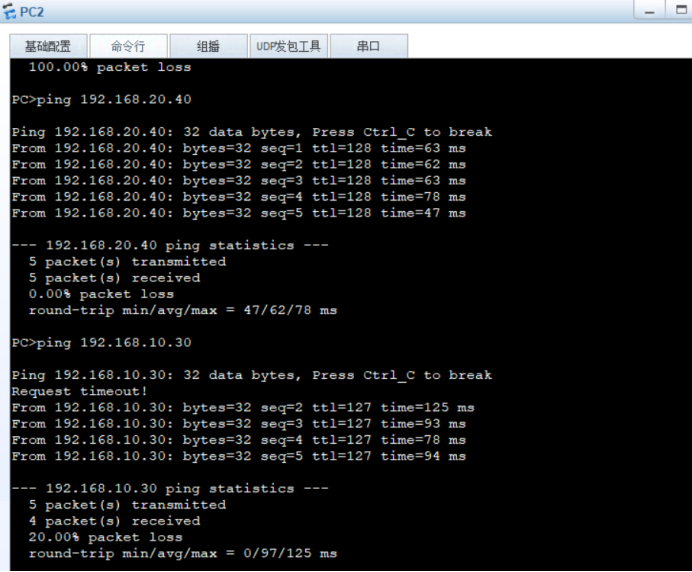
[R1-GigabitEthernet0/0/1.10]ip address 192.168.10.1 24 	设置IP192.168.10.1 子网掩码24
[R1-GigabitEthernet0/0/1.10]dot1q termination vid 10	将vlan10的终端封装成iEEE802.1q
[R1-GigabitEthernet0/0/1.10]arp broadcast enable		开启arp广播
[R1-GigabitEthernet0/0/1.10]quit
[R1]interface g0/0/1.20		进入g0/0/1.20的子接口
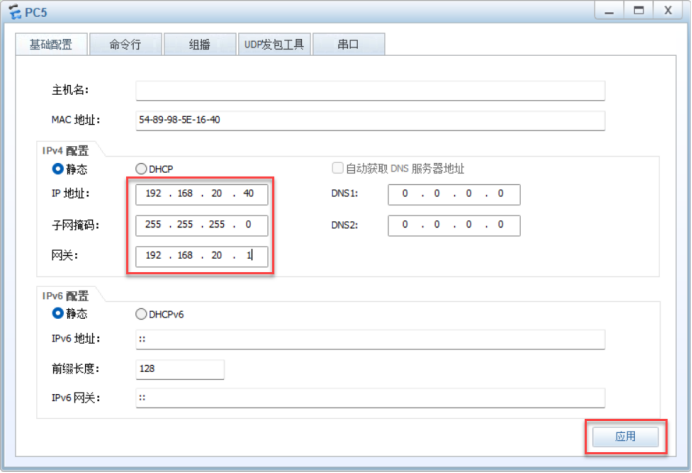
[R1-GigabitEthernet0/0/1.20]ip address 192.168.20.1 24	设置IP192.168.20.1 子网掩码24
[R1-GigabitEthernet0/0/1.20]dot1q termination vid 20	将vlan10的终端封装成iEEE802.1q
[R1-GigabitEthernet0/0/1.20]arp broadcast enable		开启arp广播
[R1-GigabitEthernet0/0/1.20]undo shutdown				激活端口
Info: Interface GigabitEthernet0/0/1.20 is not shutdown.
[R1-GigabitEthernet0/0/1.20]quit
六、在R1下查看IP接口的详细信息:
 <R1>display ip interface brief		查看IP接口的详细信息
*down: administratively down
^down: standby
(l): loopback
(s): spoofing
The number of interface that is UP in Physical is 4
The number of interface that is DOWN in Physical is 2
The number of interface that is UP in Protocol is 3
The number of interface that is DOWN in Protocol is 3

Interface                         IP Address/Mask      Physical   Protocol
GigabitEthernet0/0/0              unassigned           down       down
GigabitEthernet0/0/1              unassigned           up         down
GigabitEthernet0/0/1.10           192.168.10.1/24      up         up
GigabitEthernet0/0/1.20           192.168.20.1/24      up         up
GigabitEthernet0/0/2              unassigned           down       down
NULL0                             unassigned           up         up(s)